
Starting a new business is an exciting journey, but it’s no secret that nearly 20% of small businesses fail within their first year, often due to poor organization, inefficient processes, or a lack of the right tools. The difference between a startup that struggles and one that thrives often comes down to the systems and software supporting its daily operations.
In today’s fast-paced business environment, entrepreneurs can’t afford to juggle spreadsheets, emails, calls, and tasks manually. From managing projects and tracking finances to communicating with teams and reaching customers, having the right tools in place can save time, reduce errors, and boost productivity exponentially.
This is why we’ve curated a list of the 15 critical tools every new business needs. These platforms cover everything from task management and accounting to communication, marketing, and sales, ensuring your startup has a strong foundation for growth. Whether you’re a solo founder or building a full team, integrating these tools early can streamline workflows, enhance collaboration, and give your business a professional edge from day one.
In the following sections, we’ll break down each tool, highlight its key features, and explain why it’s essential for modern businesses aiming for success.
15 Essential Tools to Launch and Grow Your Business Successfully
| No. | Tool Name | Used For | Free Plan available | Starting Price |
| 1 | Trello | Daily task management | Yes | 5 USD/month |
| 2 | Refrens | Cloud Accounting Software | Yes | 15-20 USD/month |
| 3 | Slack | Internal team communication | Yes | 8.75 USD/user/month |
| 4 | Zoom | Video Meetings & Collaboration | Yes | 13.33 USD/month |
| 5 | WordPress | Business website creation | Yes | 7-15 USD/month (depends on the domain, themes, plugin and email) |
| 6 | Shopify | Online store setup | No (it provides a free trial for usually 3 days) | 5 USD/month + Transaction fees |
| 7 | Zadarma | AI Voice Agent and Virtual Phone Numbers | Yes | 22 USD/month (Per 10 Users) |
| 8 | Freshdesk | Customer Support & Helpdesk Management | No (it provides a free trial for usually 14 days) | 15 USD/month |
| 9 | PayPal | Global money transfers | No | Fees are around 3.49% + $0.49 for standard US transactions |
| 10 | SEMrush | SEO and Keyword Research | No | 199 USD/month |
| 11 | Canva | Graphic Design and Creatives | Yes | 12.99 USD/month |
| 12 | HubSpot | Customer relationship management | Yes | 15-20 USD/month |
| 13 | Mailchimp | Email Marketing and Newsletters | No | $13 USD/month |
| 14 | Hootsuite | Social Media Scheduling | No (gives 30 days free trial) | 149 USD/month |
| 15 | Toggl Track | Time Tracking & Productivity | Yes | 9 USD/month |
1. Daily task management: Trello

Keeping track of tasks and projects can be overwhelming, especially when running a new business. Trello makes it simple. It’s a digital workspace where you can create boards, lists, and cards to plan work, track progress, and collaborate with your team in real time. With automation, templates, and integrations with tools like Slack, Google Drive, and Jira, Trello helps your workflow stay organized and efficient.
As Stephen Covey said, “The key is not to prioritize what’s on your schedule, but to schedule your priorities.” Trello helps you do exactly that, focus on what matters most, manage your time better, and make sure nothing important is missed.
Key Features:
1. Trello Inbox
Trello Inbox lets you save all your tasks and ideas in one spot. You can add things from emails, Slack, or messages instantly. Then, you can move them to the right project board or mark small tasks as “Done.” It keeps your work organized and simple.
2. Trello Planner
Trello Planner helps you schedule your work and manage deadlines. You can plan tasks using Google Calendar or Outlook, move tasks into the right boards, and mark small items as “Done.” It keeps your day clear and your work flowing smoothly.
3. Trello Automation
Trello Automation lets you automate repetitive work. For example, you can set rules to move tasks, add team members, set due dates, or perform actions with one click. It also works with Slack, Jira, and other apps to send updates automatically. Trello even suggests automations based on your daily actions, saving you time and effort.
4. Trello Power-Ups
Trello Power-Ups let you add special features to your boards. You can use tools like Gantt charts, time tracking, analytics, or connect apps like Gmail, Google Drive, Slack, and Microsoft Teams. Power-Ups help you see progress, manage resources, and collaborate better.
5. Trello Templates
Trello Templates give you ready-made boards for common projects like marketing, design, remote work, or general project management. You can copy a template, customize it, and start working right away, saving time and keeping your workflow organized.
6. Trello Integrations
Trello works with hundreds of apps to make your work easier. You can connect Slack, Jira, Google Drive, Miro, Gmail, Telegram, and more. This lets you share updates, track tasks, attach files, automate work, and see progress in real time, all without leaving Trello.
2. Cloud Accounting Software: Refrens

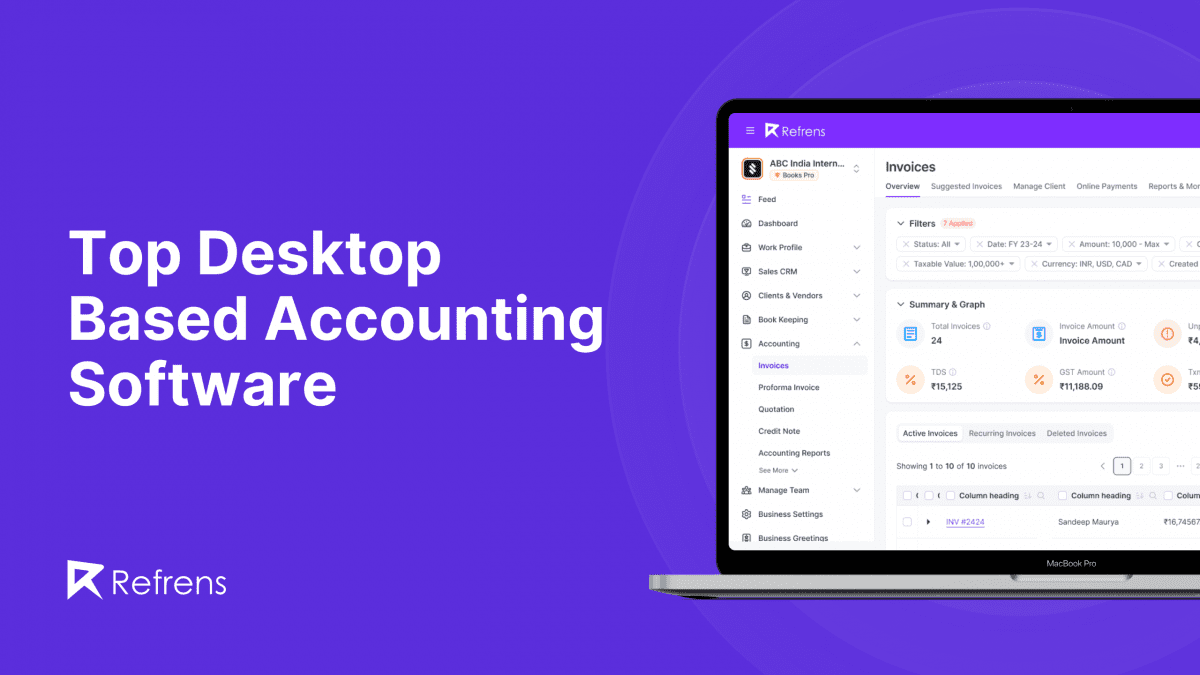
Refrens is a cloud-based accounting software designed to simplify financial management for businesses of all sizes. It brings invoicing, bookkeeping, payments, compliance, expenses, and vendor management together in one intuitive platform.
Trusted by over 1.5 lakh businesses across 170+ countries, Refrens offers secure, reliable, and scalable tools to keep your books accurate and up to date. With FREYA, its AI-powered assistant, you get instant financial insights, smarter decision-making, and real-time reporting, making accounting faster, easier, and stress-free.
Key Features:
1. Automated Bookkeeping
Whenever invoices, expenses, or payments are recorded, Refrens automatically updates ledgers, vouchers, and journal entries. This eliminates manual work, reduces errors, and keeps your accounts accurate effortlessly.
2. AI-Powered Financial Insights with Freya
Freya, Refrens’ virtual CFO, analyzes your business data in real time and provides actionable insights in plain English. Instantly understand cash flow, spot trends, and make smarter financial decisions, insights that normally take days or weeks to gather.
3. General Ledger & Account Statements
Refrens offers a complete view of all business finances, tracking assets, liabilities, income, and expenses in one organized ledger. Access detailed statements for individual accounts, including transaction history and current balances, to monitor receivables, payables, and key metrics anytime from your cloud dashboard.
4. Journal Entries
Refrens records all business transactions in chronological order, capturing precise debit and credit details. Its intuitive interface streamlines compliance and ensures your financial records are always accurate.
5. Voucher Books
Voucher Books allows payments, receipts, and other approval-required transactions to be recorded with supporting documents for complete transparency and accuracy.
6. Account Groups
Account groups organize related ledger accounts, making it easier to analyze finances, track spending patterns, and generate consolidated reports quickly and accurately.
7. Audit Trail
Every change in your accounts is recorded with details of who made it, when, and why. This transparency helps with compliance, auditing, and maintaining trustworthy financial records.
8. Bank & Payment Reconciliation
Refrens automatically match transactions from your bank statements with your internal records, flag discrepancies, and provide one-click fixes. This ensures your books stay accurate and reconciliations are completed quickly and efficiently.
9. Automated Financial Reports
Generate trial balances, balance sheets, profit & loss statements, cash flow reports, and more instantly. Refrens keeps your financial records continuously updated, giving you a clear, real-time view of your business’s health.
3. Internal team communication: Slack

Slack is a collaboration platform that centralizes team communication, apps, and workflows in one secure, scalable workspace. It keeps conversations organized in channels, connects external partners through Slack Connect, and supports real-time messaging, audio/video Huddles, Clips, and AI-powered assistants.
With integrations for over 2,600 apps and built-in automation, Slack helps teams streamline projects, share knowledge, manage tasks, and work smarter, whether in-office or remotely.
Key Features:
1. Slack Channels
Slack uses channels to keep conversations organized. Each channel can be for a team, project, client, or topic. This way, all messages, files, and decisions stay in one place, and everyone knows where to find important information.
2. Slack Connect
With Slack Connect, you can communicate safely with clients, partners, or vendors directly in Slack, without switching to email. It keeps external conversations secure, clear, and easy to track.
3. Slack Messaging
Slack Messaging lets you send messages, share files, and connect with your team in real time. You can use direct messages, private channels, or public channels, and link other tools like Google Drive or Asana to keep conversations productive.
4. Huddles & Clips
Slack Huddles let you start instant voice or video conversations, while Clips allow you to record short video or audio messages. This makes it easy to share ideas and updates quickly, without scheduling long meetings.
5. Slack Templates & Canvas
Slack Templates are ready-made setups for projects, campaigns, or processes, fully customizable for repeated use. Canvas provides a flexible workspace to collect, organize, and collaborate on files, apps, and AI-powered content all in one place.
6. Slack Lists
Slack Lists help your team organize tasks and projects right inside Slack. You can create, track, and assign tasks, set deadlines, and collaborate without switching apps. Lists also work with workflows and apps, so you can automate routine tasks and keep everyone aligned.
7. Slack AI & Agentforce
Slack AI and Slackbot act as personal AI assistants, summarizing conversations, taking notes, finding files, prepping meetings, and automating tasks. Agentforce adds context-aware AI agents that answer FAQs, provide expert support, and boost productivity
| Quick Tip: Instead of using Slack only for chatting, use Slack Canvas to store key information like SOPs, client details, onboarding steps, and FAQs. Pin the Canvas to the relevant channel so your team can find answers instantly, without asking the same questions again. |
4. Video Meetings & Collaboration: Zoom

Zoom is a leading video communication platform that lets teams meet, chat, and collaborate from anywhere. With HD video and audio, screen sharing, recording, and breakout rooms, Zoom makes virtual meetings seamless and productive. It integrates with tools like Slack, Google Calendar, and Microsoft Teams, helping teams stay connected and work efficiently across locations.
Key Features:
1. Zoom Meetings
Bring teams together with reliable video conferencing, work seamlessly from anywhere, and boost meeting outcomes with AI-powered agendas, summaries, and action tracking.
2. Team Chat
Team Chat lets teams message, share files, track tasks, and start meetings, all in one place with AI-powered summaries to keep work moving.
3. Zoom Phone
Zoom Phone is a cloud-based business phone system that combines calling, SMS, fax, and video in one platform. It works anywhere, on any device, with enterprise-grade reliability and built-in AI to route calls, take notes, and manage tasks, keeping teams connected and customers happy.
4. Mail & Calendar
Zoom Mail and Calendar combine email, scheduling, meetings, chat, and calls in one app. Stay organized with AI-powered email compose, translation, scheduling, and inbox management, reducing app switching and keeping work flowing smoothly.
5. Scheduler
Scheduler lets you share availability, book 1:1 or group meetings, automate reminders, and create branded booking pages. AI-powered follow-ups and calendar integrations keep your schedule organized and clients engaged.
6. Whiteboard
Zoom Whiteboard provides an infinite digital canvas to brainstorm, diagram, and plan in real time or asynchronously. Use templates, interactive tools, and AI assistance to organize ideas, collaborate seamlessly, and integrate with all your Zoom Workplace apps.
7. Clips
Zoom Clips turns scripts into professional, shareable videos instantly. Use AI avatars or your own to record, translate, and distribute videos for sales, marketing, HR, support, and team updates, all without meetings or extra tools.
8. Video Management
Centralize all recordings, webinars, and clips in one place. Use AI-powered search, smart chapters, and organized libraries to make content easily discoverable, secure, and track engagement across your team or organization.
5. Business website creation: WordPress

WordPress is a powerful, flexible platform for creating professional business websites. From secure hosting and customizable themes to scalable storage and enterprise-level performance, it empowers businesses to showcase products, engage audiences, and grow online without limits.
Key features:
1. Design & Editing Tools
WordPress offers hundreds of professional themes and templates. With the drag-and-drop Block Editor, pre-built block patterns, advanced CSS controls, and full media support, you can design pages, posts, and galleries the way you want.
2. Marketing Tools
Built-in SEO tools, social media sharing, email marketing integrations, and newsletters make promoting your site effortless. You can connect your website to Facebook, LinkedIn, Tumblr, and send updates automatically.
3. Extensibility
WordPress supports over 50,000 plugins to extend functionality. From advanced search with Jetpack to spam protection with Akismet, staging sites for testing, or custom forms for feedback.
4. Monetization Tools
Payment collection is supported for goods, services, memberships, and donations. WordAds connects the site to major ad networks for revenue. Premium content and paid newsletters can be delivered to subscribers.
5. Analytics & Insights
Site traffic and engagement can be monitored using Jetpack Stats. Google Analytics integration provides detailed insights into audience behavior and site performance.
6. Site Management
Post scheduling allows content to be published automatically. Visitors receive related content suggestions for improved engagement. Centralized media management keeps all files organized in one place.
| Did You Know?Over 43% of all websites on the internet are powered by WordPress, making it the most widely used website platform in the world. This popularity means better security updates, thousands of plugins, strong community support, and long-term reliability for growing businesses. |
6. Online store setup: Shopify

Shopify is a complete commerce platform that helps businesses sell products online, in person, and globally. It provides tools for store customization, product management, payments, marketing, and analytics all in one place, so businesses can focus on growth without worrying about technical complexity.
Key Features:
1. Store Customization
Access to hundreds of professionally designed themes, a drag-and-drop store editor, and advanced design tools allows businesses to create a unique online presence without coding.
2. Product Management
Shopify offers centralized inventory management, product organization, and bulk upload capabilities, making it simple to track stock and keep catalogs up to date.
3. Sales Channels
Multichannel selling enables businesses to reach customers on websites, social media, marketplaces, and physical stores, keeping all sales and inventory in sync.
4. Checkout and Payments
A fast, customizable checkout with Shopify Payments supports multiple payment options and ensures secure transactions, improving conversion rates.
5. Marketing Tools
Built-in email marketing, social media integrations, SEO tools, and abandoned cart recovery help businesses acquire and retain customers efficiently.
6. Analytics and Reporting
Comprehensive sales, traffic, and customer analytics give clear insights into store performance, supporting data-driven decisions for marketing and inventory.
7. Apps and Extensibility
Access to over 13,000 Shopify apps and APIs enables businesses to add specialized functionality, extend checkout, and create custom storefronts.
8. AI-Powered Commerce
AI tools generate product content, suggest marketing strategies, and optimize workflows, helping stores save time and increase efficiency.
9. Mobile Management
Full-featured mobile apps and centralized admin dashboards give complete control over products, orders, and customer interactions from any device.
7. AI Voice Agent and Virtual Phone Numbers: Zadarma

Zadarma is a cloud-based business communication platform that combines an AI-powered voice agent with global virtual phone numbers to help businesses manage customer calls efficiently. It enables companies to answer calls 24/7 using AI-driven conversations, automate customer support and sales inquiries, and offer local or toll-free phone numbers across multiple countries without setting up physical offices.
By unifying intelligent call handling with global reach, Zadarma ensures no customer call is missed while maintaining a professional and trusted business presence worldwide.
Key Features:
1. 24/7 AI-Powered Call Handling
The AI voice agent answers calls around the clock without holidays or downtime. It greets callers, understands their intent, and handles conversations professionally even when your team is unavailable.
2. Natural Conversations with LLM Intelligence
Unlike traditional IVR systems, Zadarma’s AI understands natural speech, asks follow-up questions, clarifies details, and responds in a human-like, conversational manner.
3. Knowledge Base–Driven Responses
The AI agent uses your FAQs, documents, pricing details, instructions, links, and promotions to provide accurate and up-to-date answers aligned with your business information.
4. Smart Call Routing & Human Transfer
When a request is complex or a caller asks for a human, calls are seamlessly transferred to the right department, employee, or PBX scenario.
5. Global Virtual & Toll-Free Phone Numbers
Choose from 30,000+ virtual phone numbers across 110+ countries, including local and toll-free (800) numbers, allowing customers to call locally while your team operates globally.
6. Free Cloud PBX Included
Zadarma includes a cloud PBX at no extra cost, offering IVR, call routing, voicemail, call forwarding, and department-based call handling without additional hardware.
7. Multi-Agent & Role-Based AI Setup
Create multiple AI agents for different roles such as sales, support, receptionist, or after-hours assistant, each with its own tone, behavior, and objectives.
8. Multilingual Support & Natural Voices
The AI voice agent supports 8 languages and offers multiple male and female voice options with adjustable speaking speed and natural background noise.
9. Customizable AI Behavior & Intelligence
Control AI creativity, response style, greetings, prompts, transfer rules, timeouts, and conversation boundaries based on your business needs.
10. Call Analytics, Transcripts & Insights
Access detailed call logs, transcripts, durations, costs, and performance metrics to improve customer experience and optimize call workflows.
11. Website Click-to-Call Widget
Enable a browser-based calling widget on your website, allowing visitors to call directly without using a phone number or app.
12. Easy Setup & Business Mobility
Set up quickly with instant activation. Businesses can change locations, expand to new regions, and retain existing numbers without disruption.
8. Customer Support & Helpdesk Management: Freshdesk

Freshdesk is a cloud-based customer support and helpdesk platform that helps businesses manage customer queries from email, chat, phone, and social media in one place. As your business grows, handling customer issues manually can quickly become chaotic. Freshdesk brings structure, automation, and visibility to customer support so no query is missed or delayed.
For new businesses, Freshdesk helps deliver professional customer support from day one, improve response times, and build trust with customers through organized and consistent communication.
Key Features:
1. Unified Ticketing System
All customer queries from email, chat, phone, and social channels are converted into tickets and managed from a single dashboard.
2. Automation & Workflow Rules
Automatically assign tickets, set priorities, send responses, and escalate issues based on rules, saving time and reducing manual effort.
3. Multichannel Support
Support customers across email, live chat, phone, social media, and website widgets without switching tools.
4. Knowledge Base & FAQs
Create self-service help articles and FAQs so customers can find answers quickly without contacting support.
5. Team Collaboration
Assign tickets, add internal notes, tag team members, and track ownership to resolve issues faster.
6. Analytics & Performance Reports
Track response times, resolution rates, agent performance, and customer satisfaction with built-in reports.
7. Scalable for Growth
Start small and scale easily as your support volume increases, without changing platforms.
9. Global money transfers: PayPal

PayPal is a digital payments platform that enables businesses and individuals to send and receive money securely across borders. It supports transactions in over 200 markets and 22 currencies, allowing sellers to reach a global audience without needing technical expertise. The platform combines ease of use with robust security, providing businesses with tools to accept payments via links, QR codes, buttons, and more.
Key Features:
1. Payment Links
PayPal provides customizable payment links that can be shared via email, SMS, or social media, making it easy for businesses to receive payments without coding knowledge.
2. Checkout Buttons
Hosted checkout buttons allow businesses to embed secure payment options directly on their websites, offering digital wallets, credit, and debit card payments.
3. QR Codes
Businesses can generate QR codes for products or services, letting customers scan and pay instantly, improving convenience and speed of transactions.
4. Global Reach
PayPal supports transactions in 22 currencies across 200+ markets, enabling businesses to sell internationally and accept payments from diverse customer bases.
5. Security and Seller Protection
End-to-end encryption on hosted checkout pages and seller protection on eligible purchases safeguard both merchants and customers.
6. Simple Setup
Accounts can be created quickly, and payment links, buttons, and QR codes can be generated in just a few steps without developer support.
7. Cost Efficiency
No account opening or subscription fees are required, and transaction fees are only applied upon receiving payments, reducing overhead costs.
8. Business Insights
Consolidated payment reporting and analytics help businesses track sales, monitor performance, and make informed decisions.
10. SEO and Keyword Research: SEMrush

SEMrush is a comprehensive SEO and digital marketing platform that helps businesses improve online visibility, drive traffic, and optimize content. It provides tools for keyword research, competitor analysis, site audits, backlink tracking, and performance reporting. With automation, analytics, and integrations, SEMrush streamlines SEO strategy for marketers, agencies, and businesses of all sizes.
Key Features:
1. Keyword Research
SEMrush helps you discover high-performing keywords, analyze search volume, competition, and trends. You can identify opportunities to rank higher and target the right audience effectively.
2. Site Audit
Run technical SEO audits to identify issues like broken links, duplicate content, slow pages, or crawl errors. SEMrush provides actionable recommendations to improve site health and search engine rankings.
3. Competitor Analysis
Analyze competitor websites to uncover top-performing keywords, backlink strategies, and traffic sources. Gain insights to outperform competitors and refine your marketing strategy.
4. Backlink Analysis
Track backlinks, evaluate domain authority, and monitor link-building efforts. SEMrush helps you strengthen your website’s authority and identify toxic links that could harm rankings.
5. Content Marketing Tools
Optimize content with SEO recommendations, track performance, and identify topics that engage your audience. SEMrush supports content creation, topic research, and readability analysis.
6. Rank Tracking & Analytics
Monitor keyword rankings, organic traffic, and SERP performance over time. SEMrush provides reports and dashboards to measure SEO success and guide strategy adjustments.
7. Integrations
SEMrush integrates with tools like Google Analytics, Google Search Console, Trello, Slack, and HubSpot, allowing seamless data sharing and more effective digital marketing workflows.
11. Graphic Design and Creatives: Canva

Canva is an intuitive graphic design platform that helps individuals and teams create visually stunning content without advanced design skills. From social media posts and presentations to marketing materials and videos, Canva provides templates, drag-and-drop tools, and collaboration features to make design fast, easy, and professional.
Key Features:
1. Templates & Design Library
Canva offers thousands of customizable templates for social media, presentations, posters, flyers, videos, and more. You can start with a template or design from scratch to match your brand identity.
2. Drag-and-Drop Editor
The easy-to-use editor allows you to add images, text, shapes, icons, videos, and audio to your designs. No coding or advanced design skills are required.
3. Brand Kit
A centralized space to store brand colors, logos, fonts, and templates. Canva’s Brand Kit ensures consistent branding across all designs and campaigns.
4. Collaboration & Team Features
Canva allows commenting, sharing, and co-editing, making collaboration on projects seamless and efficient.
5. Content Types & Animations
Support for diverse content formats such as infographics, presentations, social media posts, videos, and GIFs. Animations and interactive elements enhance visual engagement.
6. Stock Library & Assets
Access millions of stock photos, videos, illustrations, icons, and audio tracks within Canva. These assets make it easy to enhance designs without external tools.
7. Integrations & Publishing
Canva integrates with platforms like Google Drive, Slack, HubSpot, and social media networks, allowing direct publishing, sharing, and embedding of your designs.
12. Customer relationship management: HubSpot

HubSpot is a comprehensive CRM platform that helps businesses manage customer relationships, streamline marketing, sales, and support processes, and grow revenue. It centralizes all customer interactions, tracks deals, automates workflows, and provides analytics to improve decision-making. HubSpot is suitable for teams of any size, offering tools that help nurture leads, delight customers, and scale operations efficiently.
Key Features:
1. Contact Management
HubSpot lets you store and organize all your contacts in one place. You can track interactions, view communication history, and segment contacts based on behavior, lifecycle stage, or custom properties, ensuring personalized and efficient engagement.
2. Marketing Hub
HubSpot Marketing Hub helps you attract, engage, and convert leads. You can create email campaigns, landing pages, forms, and social media posts, track performance with analytics, and automate workflows to nurture leads through the customer journey.
3. Sales Hub
Sales Hub streamlines the sales process. It provides tools for deal tracking, email sequencing, pipeline management, and task automation, allowing sales teams to focus on high-value activities and close deals faster.
4. Service Hub
Service Hub helps you provide outstanding customer support. You can manage tickets, automate follow-ups, create knowledge bases, and collect feedback, ensuring customers receive timely assistance and a positive experience.
5. HubSpot CRM Automation
HubSpot automation lets you automate repetitive tasks, such as lead assignment, email follow-ups, and internal notifications. Automation improves efficiency, reduces errors, and frees teams to focus on strategic work.
6. Analytics & Reporting
HubSpot provides detailed reports and dashboards for marketing, sales, and service activities. You can measure performance, monitor KPIs, forecast revenue, and make data-driven decisions to optimize processes and growth.
7. Integrations
HubSpot integrates with hundreds of apps, including Gmail, Outlook, Slack, Zoom, Shopify, and more. Integrations ensure seamless data flow, centralized operations, and a connected ecosystem that supports your business goals.
13. Email Marketing and Newsletters: Mailchimp

Mailchimp is a leading email marketing platform that helps businesses design, send, and analyze email campaigns and newsletters. It makes it easy to reach your audience, build relationships, and drive engagement with personalized messages. With automation, templates, analytics, and integrations, Mailchimp streamlines email marketing for teams of any size.
Key Features:
1. Campaign Builder
Mailchimp’s drag-and-drop campaign builder lets you create professional emails, newsletters, and automated messages without coding. You can customize designs, add images, videos, buttons, and dynamic content for a personalized experience.
2. Audience Management
Keep all your contacts organized with Mailchimp. You can segment audiences based on behavior, engagement, demographics, or purchase history, ensuring that the right message reaches the right people.
3. Automation
Mailchimp automation allows you to set up workflows for welcome emails, abandoned cart reminders, follow-ups, and re-engagement campaigns. Automation saves time, boosts engagement, and nurtures leads automatically.
4. Templates & Content Studio
Mailchimp offers ready-made templates for newsletters, promotions, events, and more. Its Content Studio stores images, logos, and files for easy access and consistent branding.
5. Analytics & Reporting
Track campaign performance with detailed reports, open rates, click-through rates, and subscriber activity. Mailchimp provides insights to optimize future campaigns and maximize ROI.
6. Integrations
Mailchimp connects with popular tools like Shopify, WordPress, Salesforce, Slack, and social media platforms. Integrations allow seamless data sharing, campaign tracking, and enhanced marketing workflows.
7. A/B Testing & Personalization
Mailchimp supports A/B testing to compare subject lines, content, and send times, while personalization features let you tailor emails to each subscriber, improving engagement and conversions.
14. Social Media Scheduling: Hootsuite

Hootsuite is a social media management platform that helps businesses plan, schedule, and monitor posts across multiple social networks. It streamlines social campaigns, tracks engagement, and provides analytics to optimize performance. With automation, team collaboration, and integrations, Hootsuite makes managing social media simple and efficient.
Key Features:
1. Post Scheduling
Hootsuite lets you schedule posts in advance across platforms like Instagram, Facebook, Twitter, LinkedIn, and TikTok. You can plan campaigns, maintain consistent posting, and save time by managing all accounts from a single dashboard.
2. Social Media Calendar
Visualize your content with Hootsuite’s calendar. See upcoming posts, track deadlines, and adjust schedules easily to maintain a steady content flow across channels.
3. Monitoring & Engagement
Track mentions, comments, and messages from all social accounts in one place. Hootsuite helps you respond quickly, monitor brand reputation, and stay engaged with your audience.
4. Analytics & Reporting
Hootsuite provides detailed insights on engagement, reach, clicks, and conversions. Customizable reports allow you to measure performance, identify trends, and make data-driven decisions to improve your social strategy.
5. Team Collaboration
Assign tasks, approve posts, and manage roles within your team. Hootsuite ensures smooth collaboration, workflow management, and accountability for social media projects.
6. Automation & Integrations
Automate repetitive tasks, like content posting or notifications, and connect Hootsuite with tools like Canva, Google Drive, Slack, and Salesforce to streamline workflows and enhance productivity.
15. Time Tracking & Productivity: Toggl Track

Toggl Track is a user-friendly, powerful time tracking software designed to help individuals and teams optimize productivity, manage workloads, and gain actionable insights from time data. Trusted by companies like Amazon, LinkedIn, and SAP, Toggl Track makes time tracking effortless and non-intrusive, ensuring high adoption across teams without micromanagement.
Key Features
1. Automated Time Tracking
Toggl quietly tracks everything you do, apps, websites, and tasks, so you never have to worry about logging time manually. You can review your activity timeline and share only what you want for accurate timesheets.
2. Online work timer
Start and stop timers for any task with a single click, no guessing, no manual logging. Track billable and non-billable hours accurately across all your devices.
3. Timesheet reports
Generate accurate timesheets in seconds and approve them with a single click, no more chasing your team. Keep payroll transparent and track every billable hour effortlessly.
4. Time reporting and analytics
Get clear insights into every project and team member with easy-to-read reports. Make decisions faster, optimize workloads, and track profitability in real time.
5. Integrations, APIs, and Automations
Connect Toggl Track with 100+ apps, automate workflows, and sync data seamlessly using browser extensions, native integrations, or the Toggl Track API.
How to Choose the Right Tools for Your Business Stage
Now that you’ve discovered all 15 essential tools, the next question isn’t which tool is best; it’s which tools are right for you right now.
One of the biggest mistakes new founders make is trying to implement everything at once. This often leads to wasted subscriptions, low adoption, and unnecessary complexity. The truth is, your tool stack should evolve as your business grows.
To make smarter decisions, align your tools with your current business stage.
Stage 1: Solo Founder or Early-Stage Startup (0–2 Team Members)
At this stage, speed, simplicity, and cost-efficiency matter most. You’re wearing multiple hats, so your tools should reduce manual work, not add more processes.
Your main goals:
- Stay organized
- Track finances accurately
- Look professional from day one
- Avoid overcomplication
Must-have tools at this stage:
- Trello: Manage daily tasks, ideas, and priorities without friction
- Refrens: Handle invoicing, bookkeeping, and financial reports automatically
- WordPress: Build a professional online presence quickly
- PayPal: Accept payments easily, even from international clients
- Canva: Create marketing and brand assets without a designer
Why this works:
These tools are intuitive, affordable, and fast to implement. They give you structure without slowing you down and help you focus on validating your idea and acquiring your first customers.
Tip: Choose tools that require little to no setup and offer free or flexible plans.
Stage 2: Small Team & Early Growth (3–10 Team Members)
Once your business starts gaining traction, collaboration becomes critical. Tasks increase, communication expands, and customer interactions multiply.
Your main goals:
- Improve team coordination
- Build repeatable processes
- Start structured marketing and sales
- Reduce dependency on manual follow-ups
Recommended tools at this stage:
- Slack: Centralize team communication and reduce internal email clutter
- Zoom: Run client calls, team meetings, and demos efficiently
- HubSpot CRM: Track leads, deals, and customer interactions in one place
- Mailchimp: Launch email campaigns and nurture leads automatically
- Hootsuite: Schedule and manage social media consistently
- Toggl Track: Understand how time is spent and optimize productivity
Why this works:
These tools bring clarity and consistency. Instead of reacting to daily chaos, you start building systems that scale with your team and improve accountability.
Tip: Prioritize tools that integrate with each other to avoid data silos and duplicated work.
Stage 3: Scaling Business & Expansion Phase (10+ Team Members)
At this stage, inefficiencies become expensive. Missed calls, delayed responses, untracked leads, and poor reporting can directly impact revenue and customer experience.
Your main goals:
- Automate operations
- Improve customer experience
- Enable data-driven decisions
- Support remote or global teams
Advanced tools to add at this stage:
- Zadarma AI Voice Agent: Handle customer calls 24/7 with AI-powered conversations
- Zadarma Virtual Phone Numbers: Build a local presence in multiple countries
- Shopify: Manage online sales across multiple channels
- SEMrush: Scale SEO, content, and competitor analysis
- Advanced HubSpot Automation: Align marketing, sales, and support workflows
Why this works:
Automation and analytics become essential. These tools help you serve more customers without proportionally increasing headcount, while maintaining quality and responsiveness.
Tip: Focus on tools that provide insights, automation, and scalability, not just basic functionality.
A Simple Rule to Remember
If you’re ever unsure whether to adopt a new tool, ask yourself:
- Will this save time?
- Will this reduce errors?
- Will this improve customer or team experience?
- Will this scale with my business?
If the answer is “yes” to at least two of these, it’s likely a good fit for your current stage.
Conclusion
Equipping yourself with the right tools can make all the difference. From managing tasks and finances to communicating with your team and reaching customers, the 15 tools outlined above cover every essential aspect of running a modern, efficient, and scalable business.
By implementing these platforms early, you not only save time and reduce errors but also create a professional foundation that supports growth, collaboration, and smarter decision-making. Remember, success isn’t just about having a great idea—it’s about executing it efficiently, staying organized, and leveraging the right technology to turn your vision into reality.
Invest in these tools, streamline your workflows, and set your business up for long-term success. The right systems today mean fewer headaches tomorrow—and a stronger, more competitive business overall.